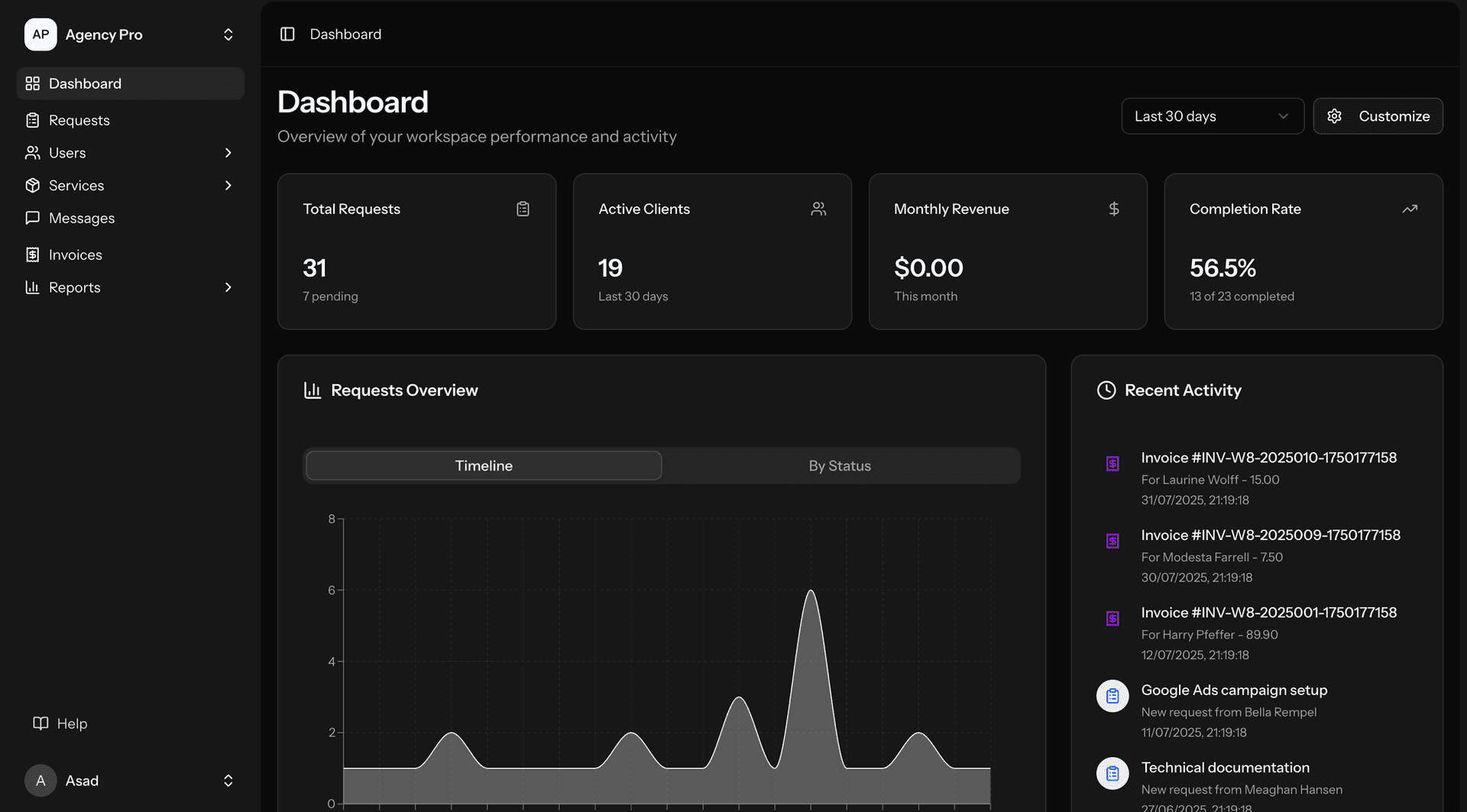
Houston's UI/UX design demand spans energy operations, healthcare, logistics, and enterprise applications. Energy Control Room Design: SCADA display design (designing SCADA operator displays for Houston pipeline operators, refinery operators, and upstream producers — overview displays that present process status at a glance, detail displays for individual equipment and process areas, alarm summary displays that prioritize critical alarms over nuisance alarms, and trend displays that show process variable history — following ISA-101 principles: high-performance HMI design using grayscale backgrounds with color reserved for abnormal conditions, analog indicators for process variables instead of digital readouts (operators can read analog indicators peripherally while monitoring multiple displays), and hierarchical navigation from system overview to area detail to equipment detail — for Houston energy: SCADA display redesign projects typically improve operator response time to abnormal conditions by 30-50% compared to the traditional green-screen displays still in use at many facilities), alarm management visualization (designing alarm display systems that help operators manage alarm floods — during process upsets, Houston refinery operators may receive hundreds of alarms in minutes, making it impossible to identify the root cause alarm among the consequential alarms — alarm visualization design includes: alarm prioritization displays (showing only the highest-priority alarms), alarm shelving interfaces (allowing operators to temporarily suppress acknowledged alarms), alarm analytics dashboards (showing alarm system health metrics like alarm rate, standing alarm count, and chattering alarms) — for Houston energy: OSHA and PHMSA have cited inadequate alarm management as contributing factors in process safety incidents — effective alarm visualization is a compliance requirement as well as a safety improvement), and process trend visualization (designing trend displays that help operators understand process dynamics — for Houston refinery operators: process trends are the primary tool for understanding process behavior — well-designed trend displays use consistent scaling, configurable time horizons, and overlay capability (comparing current trends against historical or design values) to help operators detect developing problems before they trigger alarms — trend display design must account for the operator's 12-hour shift duration — the display must remain legible and useful after hours of continuous monitoring without causing visual fatigue)). Healthcare Clinical Design: EHR workflow optimization (designing clinical workflows within Epic and Epic-integrated applications — minimizing the clicks, screen transitions, and data entry required for common clinical tasks — for TMC clinicians: "click fatigue" is a real and documented phenomenon — studies show that primary care physicians make 4,000+ clicks per day in the EHR — every workflow optimization that eliminates unnecessary clicks across thousands of daily encounters generates meaningful time savings — UI/UX design for Houston clinical applications focuses on the 5-6 most common clinical tasks (reviewing results, documenting encounters, ordering medications, placing orders, sending messages) and optimizes each task's interaction model), patient-facing application design (designing applications for Houston's diverse patient population — multilingual interfaces (English, Spanish, Vietnamese, Chinese, Arabic), accessibility for elderly patients (large text, high contrast, simple navigation), cultural appropriateness (imagery, language, interaction patterns), and low-bandwidth compatibility (many underserved Houston communities have limited internet connectivity) — for Houston healthcare: patient-facing design must accommodate the widest range of users — from a 25-year-old tech-savvy professional in Midtown to a 70-year-old Vietnamese-speaking grandparent in Midtown's Viet-town who has never used an app — designing for this range requires genuine user research, not assumptions), and clinical dashboard design (designing dashboards for hospital operations — bed management, patient flow, department utilization, quality metrics, and staffing — for TMC institutions: operational dashboards help administrators manage the complexity of facilities that may have 1,000+ beds, thousands of daily patient encounters, and hundreds of staff members — dashboard design for Houston healthcare emphasizes exception-based display (showing only what needs attention) and role-based views (a charge nurse needs different information than a hospital administrator))). Logistics Design: port operations dashboards (designing dashboards for Port of Houston terminal operations — vessel berthing status, container yard utilization, truck gate throughput, crane operations, and customs clearance status — the dashboard must help terminal managers identify bottlenecks, predict delays, and allocate resources effectively — for Houston port: the visual complexity is enormous (thousands of containers moving simultaneously across multiple terminals) — effective dashboard design uses progressive disclosure (overview → area → detail) and exception highlighting (showing only the 5% of operations that need attention rather than the 95% that are running normally)), supply chain visualization (designing supply chain visibility interfaces for Houston logistics companies — tracking shipments across multiple transportation modes (ocean, barge, pipeline, rail, truck) from origin to destination — the visualization must show current status, predicted arrival times, and risk indicators (weather delays, customs holds, equipment shortages) — for Houston supply chain: effective visualization reduces the phone calls and emails that currently constitute most status inquiries), and warehouse management interfaces (designing interfaces for warehouse management systems — pick path optimization displays, inventory location visualization, receiving and shipping dock management, and inventory accuracy dashboards — for Houston industrial distribution: warehouse interfaces must be designed for handheld scanner use (warehouse workers carry RF scanners or tablets) with large, touch-friendly interfaces readable in variable warehouse lighting)). Enterprise Application Design: SaaS product design (UI/UX design for Houston SaaS companies building products for energy, healthcare, and logistics markets — product design for B2B applications requires understanding the user's professional context, workflow integration requirements, and enterprise purchasing considerations — for Houston B2B SaaS: the user is typically a professional who will use the application 6-8 hours per day — the design must be efficient for expert use while remaining learnable for new users), and internal tool design (designing internal applications for Houston enterprises — operational tools, administrative interfaces, and employee-facing applications — for Houston: internal tools are often neglected from a UX perspective but directly affect employee productivity and satisfaction — well-designed internal tools can recover significant productivity across hundreds or thousands of employees).